
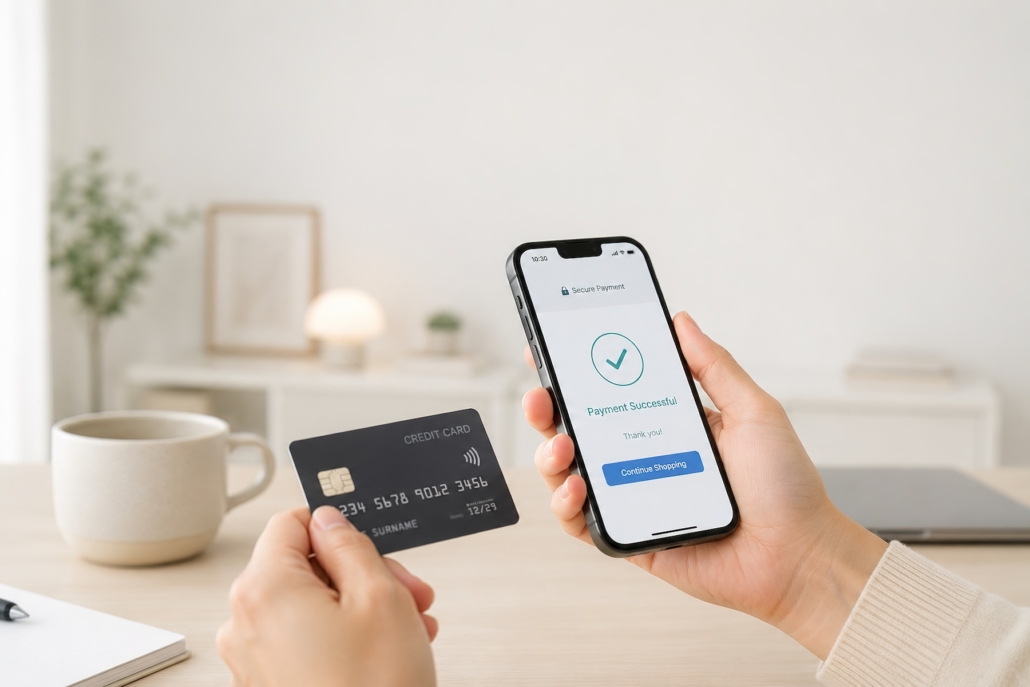

How to Choose a Payment Gateway for a Laravel Store
Choosing a payment gateway for a Laravel store can appear straightforward: compare transaction fees, install a package and add a checkout button.
In practice, the gateway becomes one of the most important components in the architecture of an ecommerce platform. It affects checkout conversion, subscription management, refunds, accounting, international expansion and the amount of development required every time the business introduces a new payment model.
The right choice depends on much more than which provider offers the lowest headline rate.
A conventional online shop, a subscription platform and a multi-vendor marketplace may all be built with Laravel, but they have fundamentally different payment requirements. Before comparing providers, the business must define how money needs to move through the application.
What does a Laravel payment gateway do?
A payment gateway securely connects a Laravel application to the infrastructure required to authorise and process a payment.
Depending on the provider and integration, it may handle:
- Debit and credit card payments
- Apple Pay and Google Pay
- PayPal and digital wallets
- Strong Customer Authentication and 3D Secure
- Recurring subscriptions
- Refunds and partial refunds
- Saved payment methods
- Multi-currency payments
- Fraud detection
- Chargebacks and disputes
- Seller onboarding and identity verification
- Split payments and marketplace payouts
- Payment reporting and reconciliation
Laravel manages the application’s products, customers, orders and business rules. The payment provider manages the regulated payment process and returns the transaction status to the application.
A good integration maintains a clear boundary between these responsibilities.
Start with the business model
The first question should not be “Should we use Stripe or PayPal?”
It should be: “What kinds of transactions must this platform support?”
Standard ecommerce
A conventional Laravel store normally requires:
- One-off customer payments
- Card and wallet support
- Refunds
- Guest checkout
- Reliable order confirmation
- Fraud prevention
- Clear settlement reporting
Stripe, PayPal, Worldpay and Adyen can all support variations of this model.
Subscription or SaaS platform
A subscription platform also needs to consider:
- Monthly and annual plans
- Free trials
- Upgrades and downgrades
- Prorated billing
- Usage or seat-based pricing
- Failed-payment recovery
- Cancellation and grace periods
- Customer billing portals
- VAT and sales-tax responsibilities
Laravel provides particularly strong support for subscription development through Laravel Cashier. The official Cashier packages offer integrations for both Stripe and Paddle, including common operations such as changing plans, managing subscription quantities and handling cancellation periods. Laravel Cashier for Stripe also supports coupons and invoice generation, while Cashier for Paddle provides a Laravel-friendly interface to Paddle subscriptions.
Marketplace or platform
A marketplace is considerably more complex because the application is receiving money involving more than one party.
It may need to:
- Onboard sellers or service providers
- Complete business and identity verification
- Accept payments on a seller’s behalf
- Deduct platform commission
- Split transaction revenue
- Delay or schedule payouts
- Reverse transfers after refunds
- Allocate responsibility for disputes
- Maintain separate balances or ledgers
This normally requires a platform product such as Stripe Connect or Adyen for Platforms rather than a standard ecommerce account. Adyen’s marketplace infrastructure, for example, supports user onboarding, verification, split payments and payouts. Adyen for Platforms is designed specifically for marketplaces, crowdfunding systems and other multi-party payment models.
Trying to reproduce this with a conventional merchant account and manual bank transfers can create significant operational and compliance problems.
The main payment gateways to consider
Stripe
Stripe is often the strongest starting point for a custom Laravel application.
Its APIs support one-off payments, saved methods, subscriptions, invoicing, marketplaces and a wide range of international payment methods. Stripe’s Payment Element can present more than 100 payment methods through a single checkout component, while sensitive payment information is tokenised without passing through the Laravel server. Stripe Payment Element documentation
Stripe is particularly suitable for:
- Bespoke ecommerce applications
- SaaS and recurring billing
- Mobile and React-based checkouts
- Marketplaces using Stripe Connect
- Businesses expecting their payment model to evolve
- Teams wanting mature developer tooling
Laravel Cashier reduces the amount of custom subscription code required, but it does not remove the need to design the underlying billing rules carefully.
PayPal
PayPal remains valuable because many consumers already have an account and recognise the brand. It can be offered alongside card payments rather than necessarily acting as the store’s only gateway.
Its developer platform supports standard checkout and recurring billing. PayPal subscriptions can include trials, plan changes and automated payment recovery. PayPal Subscriptions
PayPal can be a good addition when:
- The target audience frequently uses PayPal
- Customer familiarity and trust are important
- The store sells internationally
- The business wants another payment option alongside cards
The application should still decide how PayPal orders, refunds and disputes will be reconciled with transactions from other providers.
Adyen
Adyen is commonly considered by larger, international or operationally complex businesses. Its platform covers online payments, point-of-sale payments and marketplace infrastructure.
It may be appropriate when a business requires:
- Significant international coverage
- Local payment methods across multiple markets
- Online and physical retail payments
- Enterprise reporting and reconciliation
- Marketplace payments and managed payouts
- More complex acquiring arrangements
Adyen can offer considerable capability, but the commercial and implementation model may be more involved than a straightforward Stripe integration.
Worldpay
Worldpay is an established option for UK businesses, particularly where the company already has a commercial banking or merchant-services relationship.
It may be considered for:
- Established UK ecommerce operations
- Businesses negotiating based on higher transaction volume
- Existing Worldpay merchants
- Omnichannel or more traditional retail environments
When evaluating Worldpay, compare its current API and hosted-checkout options rather than assuming an older integration represents the modern product. Existing platforms sometimes retain legacy Worldpay integrations that should be reviewed before being reused in a new Laravel architecture.
Paddle
Paddle is especially relevant to SaaS and digital-product businesses because it can operate as the merchant of record.
That means Paddle can assume more responsibility for areas such as payment processing, indirect tax collection and customer billing. This can reduce the operational burden of selling software internationally, although it also changes the commercial relationship and the level of control retained by the business.
Paddle is not normally the first choice for a conventional physical-product store, but it can be compelling for:
- SaaS subscriptions
- Software licences
- Digital products
- International digital sales
- Smaller teams seeking to simplify tax administration
Ten factors to compare
1. Payment methods
Do not assume card payments will cover every customer.
Consider whether the store needs:
- Visa, Mastercard and American Express
- Apple Pay and Google Pay
- PayPal
- Buy now, pay later
- Bank payments
- Direct Debit
- European methods such as iDEAL
- Payment methods specific to future markets
The right set depends on where customers are located and the average transaction value. Adding every available method can complicate the checkout, so prioritise those that are likely to improve conversion.
2. The complete cost
Headline transaction fees are only one part of the cost.
Compare:
- Domestic and international card rates
- Currency-conversion charges
- Fixed per-transaction charges
- Monthly gateway or merchant-account fees
- Refund fees
- Dispute and chargeback fees
- Payout fees
- Marketplace or connected-account charges
- Developer implementation costs
- Finance and reconciliation workload
Gateway pricing changes and can vary by country, volume and negotiated agreement. Create a forecast using the expected number of transactions, average order value, customer location and refund rate before making a decision.
A gateway with a slightly higher transaction rate may still cost less overall if it reduces custom development and manual administration.
3. Checkout experience
Every additional step can affect conversion.
Evaluate:
- Hosted checkout against embedded checkout
- Guest checkout
- Mobile usability
- Wallet support
- Address and card validation
- Returning-customer experience
- Accessibility
- Branding and design control
- Page speed
- Failed-payment recovery
A hosted checkout can reduce development and compliance scope. An embedded checkout provides more control but must be implemented carefully.
4. Subscriptions and future pricing models
If recurring revenue may become part of the business, evaluate it from the beginning.
Ask whether the provider supports:
- Trials
- Discount codes
- Monthly and annual plans
- Quantity or seat-based subscriptions
- Metered usage
- Proration
- Plan changes
- Customer self-service
- Failed-payment retries
- Subscription pauses
- Cancellation at the end of a billing period
Retrofitting subscriptions into a store designed solely around completed orders can require substantial changes to the database and customer journey.
5. International growth
A business intending to expand beyond the UK should compare:
- Supported settlement currencies
- Local payment methods
- International card acceptance
- Currency conversion
- Regional merchant entities
- Tax integrations
- Customer-facing currency presentation
- Cross-border fees
- Payout availability
Multi-currency display is not the same as multi-currency settlement. The distinction can materially affect margins and accounting.
6. Security and PCI DSS scope
Laravel should not store raw card numbers, security codes or other sensitive card information.
Use the provider’s hosted checkout, secure fields or tokenised components so sensitive payment data is collected by the payment provider. Stripe Elements, for example, tokenises payment details without them touching the application server. Stripe Elements documentation
The wider platform should also include:
- HTTPS throughout
- Secure management of API secrets
- Restricted production access
- Webhook signature verification
- Audit logging
- Dependency updates
- Rate limiting
- Fraud monitoring
- Data-retention rules
- Tested incident procedures
Using a recognised gateway reduces the payment-data exposure of the application, but it does not make the whole store automatically secure.
7. Webhooks and asynchronous payments
A customer returning to the “success” page is not sufficient proof that an order has been paid.
The final result may arrive asynchronously after 3D Secure, bank authorisation or another payment process. Gateways use webhooks to inform the Laravel application about events including successful payments, failed subscriptions, refunds and disputes. Stripe’s webhook guidance specifically covers events such as bank confirmation, disputes and recurring payment success.
A production Laravel integration should:
- Create a pending local order.
- Initiate the payment using a unique transaction reference.
- Verify the signed webhook from the provider.
- Record the provider’s event identifier.
- Process the event through a queue.
- Make webhook handling idempotent.
- Update the order or subscription state.
- trigger fulfilment only after verified confirmation.
Idempotency prevents a retried API request or repeated webhook from charging a customer twice or fulfilling the same order more than once. Stripe recommends using idempotency keys when creating payment objects so requests can be safely retried. Stripe idempotency documentation
8. Refunds, disputes and customer service
The payment journey continues after checkout.
The operations team needs to know:
- Who can issue refunds?
- Can partial refunds be processed?
- Is stock returned automatically?
- How are disputes recorded?
- What evidence is retained?
- How does a refund affect seller payouts?
- Are customers notified automatically?
- How are finance records updated?
These workflows should be designed into the Laravel administration system rather than leaving staff to switch between unrelated dashboards and spreadsheets.
9. Reporting and reconciliation
A completed order, an authorised payment and a bank settlement are different events.
The system should be able to reconcile:
- Laravel order ID
- Provider transaction ID
- Gross amount
- Tax
- Discount
- Gateway fee
- Refunds
- Platform commission
- Seller allocation
- Net settlement
- Payout date
This becomes particularly important when the store integrates with Xero, Sage, QuickBooks, an ERP or a custom finance platform.
10. The ability to change provider
Payment logic should not be spread throughout controllers, models and frontend components.
A maintainable Laravel implementation typically introduces a dedicated payment layer, with concepts such as:
PaymentGatewayinterface- Provider-specific adapters
- Payment and refund services
- Gateway-neutral transaction records
- Webhook event storage
- Idempotency keys
- Queued webhook processing
- Centralised order-state transitions
This does not make every gateway interchangeable. Subscriptions, marketplace accounts and dispute models differ significantly between providers. It does, however, prevent the entire store from becoming unnecessarily dependent on one API structure.
Our practical recommendation
For many bespoke Laravel stores, Stripe is the most balanced starting point because of its API coverage, Laravel ecosystem, checkout components and ability to support more complex payment models later.
However, it is not automatically the right answer in every case:
- Add PayPal when customer preference justifies it.
- Consider Paddle for international SaaS and digital products where merchant-of-record support is valuable.
- Evaluate Adyen for enterprise, international, omnichannel or complex marketplace requirements.
- Consider Worldpay where existing merchant arrangements, scale or negotiated terms make it commercially attractive.
- Use a platform-specific product such as Stripe Connect or Adyen for Platforms when the application must move money between multiple parties.
The best gateway is the one that supports the business model with the lowest overall combination of transaction cost, operational burden, technical complexity and future risk.
A payment gateway should be treated as infrastructure
A quick payment integration may work in a demonstration but fail under real operational conditions.
Production payment systems need to handle retries, delayed events, duplicated webhooks, refunds, disputes, subscription changes, reconciliation and provider outages. Those requirements should influence the database, queue architecture, administration tools and testing strategy from the beginning.
At JAS Digital, we design and develop Laravel payment systems for ecommerce stores, subscription platforms, fundraising products, marketplaces and bespoke transactional applications. Our work can include payment-provider selection, Stripe and PayPal integrations, subscription billing, connected accounts, checkout development, finance integration and the modernisation of legacy payment workflows.
If you are building a new Laravel store or replacing a limited payment integration, we can assess the commercial model and recommend an architecture that works for both the initial release and the next stage of growth.


Leave a Reply
Want to join the discussion?Feel free to contribute!